
1.1 ffmpeg安装
去官方下载https://www.ffmpeg.org/,然后加到系统环境变量
1. whisper
源码地址
https://github.com/SYSTRAN/faster-whisper
先安装python 3.9以上
安装依赖:pip install faster-whisper -i https://mirrors.aliyun.com/pypi/simple/
1.1 model预先装
如果运行时提示,下载模型失败
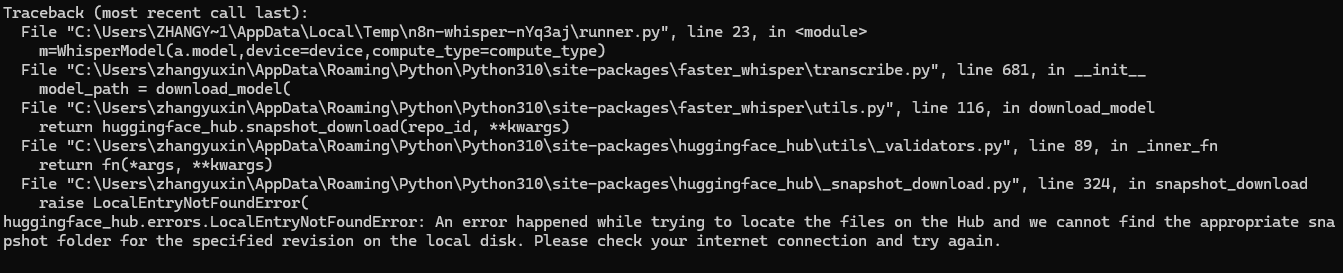
可以提前安装好模型,或者运行时设置代理
yaml
set HTTP_PROXY=http://127.0.0.1:7890
set HTTPS_PROXY=http://127.0.0.1:7890
python your_script.py或者 直接下载好,使用本地模型
py
from faster_whisper import WhisperModel
WhisperModel(r"D:\models\whisper-small-ct2", device="cpu", compute_type="int8")1.2 cuda安装(非必须,不安装的话,whipser只能用cpu解析,很慢)
显卡需要nvidia显卡
安装 CUDA 12 Toolkit
- 装完后一般会有:C:\Program Files\NVIDIA GPU Computing Toolkit\CUDA\v12.x\bin
- 把这个 bin 目录加入 系统环境变量 PATH(通常安装器会自动加)
安装 cuDNN 9(匹配 CUDA 12)
- 下载 cuDNN 9 for CUDA 12(Windows)
- 解压后把里面的 bin 目录(包含 cudnn*.dll)直接复制到 CUDA\v12.x\bin
验证dll是否能找到
